

 James Whitfield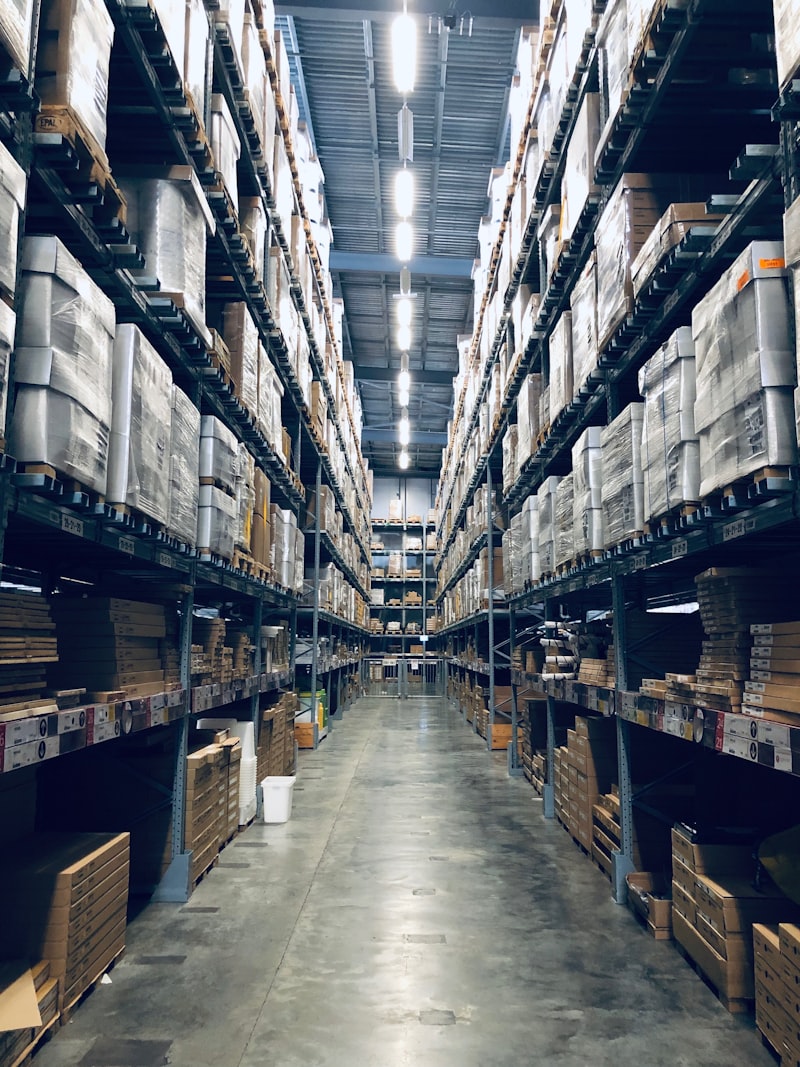
I visited a warehouse last month where a team of three people spent their entire morning printing shipping labels. One at a time. From a browser. On an inkjet printer. Then cutting them out with scissors.
They were processing about four hundred orders per day. It took roughly three hours just for the label printing step. That is fifteen hours of human labor per week burned on something that should take minutes.
If this sounds familiar, keep reading. If this sounds insane, congratulations on having a better setup. But I promise there are still things in here you can improve.
Why manual label printing falls apart
Most carrier portals have a print button. It works fine when you are shipping ten packages a day. But once you cross the fifty-orders-per-day threshold, the cracks start showing.
There is the constant context switching between carrier portals. DHL for this order, InPost for that one, DPD for the next three. Each portal has its own login, its own interface, its own way of doing things. Then there are the inconsistent label formats - some carriers give you A4 PDFs, others give you thermal labels with odd margins. There is no batch processing so you are generating one label at a time. And someone is retyping data from your order management system into the carrier portal, which is where errors creep in.
The real cost is not just time, though the time cost is bad enough. It is errors. Wrong address on a label. Wrong carrier selected. Wrong package size entered. Each mistake means a returned parcel and an unhappy customer. I have seen warehouses where the error rate on manually printed labels was running at three to four percent. On a thousand shipments a week, that is thirty to forty parcels going wrong. Every single week.
How the Printing API changes things
The UniShip Printing API is designed for exactly this workflow. It generates shipping labels programmatically, in the format your printer actually needs, for any carrier in our network.
You send a request with the shipment ID and specify the format you want - either ZPL for thermal printers or PDF for standard printers - along with the label size. The API returns the raw label data. If you asked for ZPL, you get a text-based command string that you can send directly to a thermal printer. If you asked for PDF, you get a file that any printer can handle.
The key thing is that the request looks exactly the same regardless of which carrier the shipment uses. Whether the underlying label comes from DHL, InPost, DPD, or anyone else, you get a consistent format back. No more juggling different file types from different carriers.
ZPL versus PDF - which should you use
This question comes up in literally every warehouse integration conversation I have. Here is the straightforward answer.
Use ZPL if you have thermal printers. ZPL stands for Zebra Programming Language, and it is a text-based format that thermal printers understand natively. The printer receives a string of commands and renders the label directly. No image processing. No driver quirks. It is fast - we are talking about printing a label in under a second.
Use PDF if you are printing on regular printers or need to preview labels on screen before printing. PDF is universal and works everywhere. But it requires the printer to process the image, which is slower, and you are at the mercy of print driver settings and margin configurations.
For serious warehouse operations, I always recommend ZPL on thermal printers. A decent Zebra thermal printer costs about three to four hundred euros. It will pay for itself in the first month through time savings alone. I have seen the math work out dozens of times.
Batch operations - the real game changer
Printing one label at a time through the API is fine for testing. In production, you want batch operations. This is where the dramatic time savings happen.
You send a single request to the batch endpoint with a list of shipment IDs, your desired format, and the label size. With the combine option enabled, you get all labels back in a single response - one continuous stream that you send to the printer and it just prints them back to back. No pauses. No individual requests. No waiting.
I mentioned that warehouse doing four hundred orders with a three-hour printing process. After switching to batch operations through our API, they got the entire morning batch printing in about twelve minutes. The team now preps packages while labels print in the background. Nobody cuts anything with scissors anymore.
Setting up the printer connection
There are a few common patterns for connecting your thermal printer to the UniShip workflow, and the right choice depends on your warehouse setup.
The simplest approach is direct printing over the network. Your warehouse application calls our API, gets the ZPL data, and sends it straight to the printer via its IP address on the standard raw printing port. Most thermal printers accept data this way out of the box. No special drivers needed.
For multi-printer setups, a print server approach works well. You run a lightweight print service on a local machine that receives labels and routes them to the correct printer based on warehouse zone or product category. One of our customers routes small parcel labels to Station A and oversized labels to Station B automatically.
For multi-warehouse operations, we support webhook-based printing. Label generation triggers a notification to your local print agent, the agent pulls the label data, and sends it to the local printer. No inbound firewall rules required, which makes IT departments much happier.
A real-world warehouse setup
Let me describe a setup that one of our larger customers runs. They process about two thousand orders per day across three warehouse zones.
Their order sync runs every five minutes, pulling new orders from their Shopify and WooCommerce stores. Carrier selection happens automatically based on rules covering destination country, package weight, and delivery preference - all handled through the Shipment API. Then label pre-generation runs in batch, creating all labels before the warehouse team even starts their shift. Zone routing sends each label to the correct printer based on which warehouse zone holds the product. When a worker starts picking, the pre-printed label is already waiting at their station. They scan the order barcode, grab the label, pack the box, done.
The whole thing runs on a Raspberry Pi sitting on a shelf. Total hardware cost around eighty euros plus the thermal printers. The software is straightforward - just a small service that talks to our API and manages the printer connections.
For a deeper dive into this kind of automation, check out our warehouse automation use case.
Common pitfalls to avoid
A few things that trip people up when automating label printing, based on what I have seen in the field.
Label size mismatch is the classic day-one mistake. Make sure your API request matches your physical label stock. Requesting a 4x6 label and loading 4x4 label rolls into the printer produces unreadable results. I have seen this happen at least a dozen times during initial setup.
Character encoding catches people who ship internationally. Some carrier labels include accented characters in addresses - French names, German umlauts, Polish special characters. Make sure your printing pipeline handles these properly, or you will get garbled recipient names that confuse both couriers and customers.
Printer buffer overflow is a problem with older hardware. If you try to send five hundred labels at once, some older printers will choke. Batch them in groups of fifty to a hundred with a small delay between groups. Modern printers handle larger batches without issues, but test with your specific hardware before peak season.
The bottom line
The Printing API is available on all paid plans. You can test it immediately in sandbox mode - it generates valid label layouts with sample watermarks so you can verify your printer setup without using real shipment credits.
If you are processing more than fifty orders per day and still printing labels manually, this is the single highest-ROI change you can make to your fulfillment workflow. I am not exaggerating. Take three hours per day times two hundred and fifty working days times your labor cost. The number will convince your boss faster than any sales pitch we could write.
I genuinely love helping warehouses make this transition. There is something deeply satisfying about watching a team go from scissors and inkjet printers to a fully automated print queue. It is the kind of improvement where everyone in the building can feel the difference immediately.